Bound the change
Give the agent one feature and explicit acceptance rules. Keep the source diff small enough to review.
 BuildGoblinFIELD LABS
Your agent wrote the code. Now check the build.
A playable Unity sample, a bounded feature exercise,
and evidence you can actually inspect.
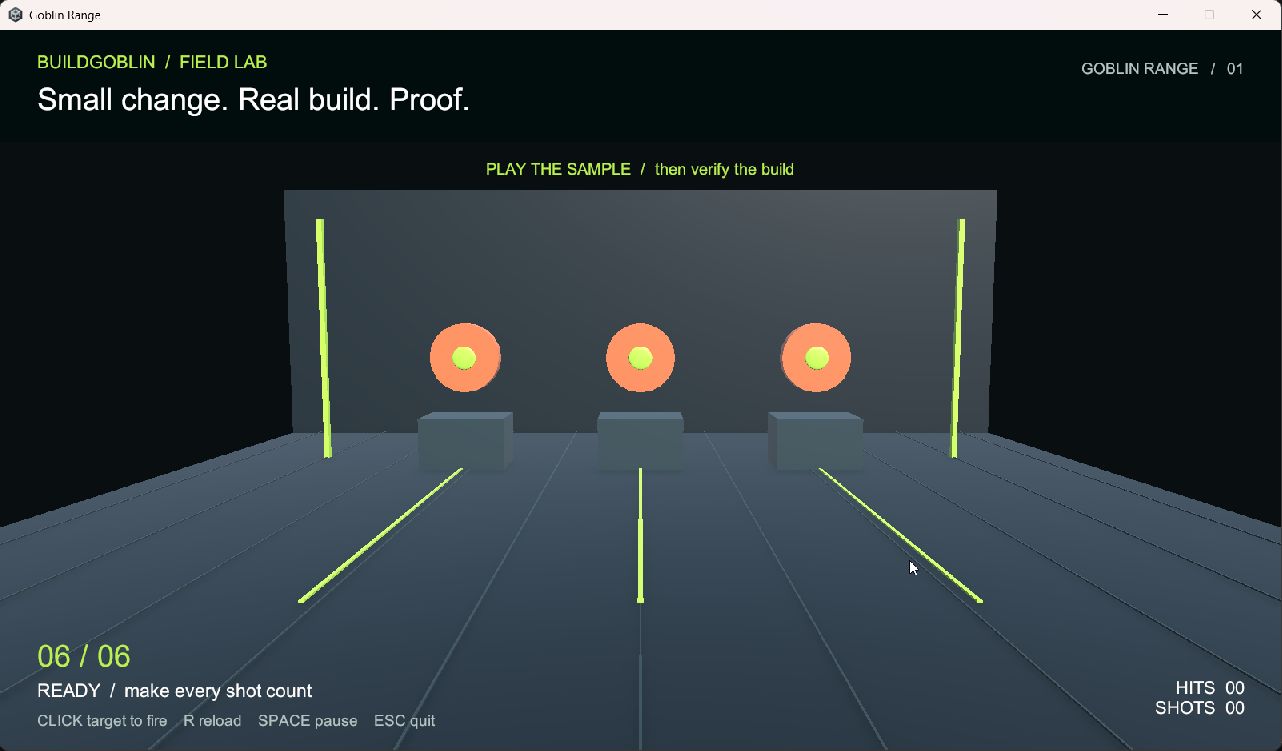
Six rounds. Three targets. Reload. Pause. A tiny game loop with concrete rules—and just enough interaction for an AI change to go wrong.
This is a worked example for developers using a coding agent. Not an autonomous game studio or a promise to fix any Unity project.
We ran the Windows player and recorded 12 assertions. Then we deliberately broke pause and firing to check whether the verifier noticed.
Local engineering evidence. Synthetic input.
No independent buyer validation yet.
Every run must match its build ID, fresh run ID and complete assertion set.
Give the agent one feature and explicit acceptance rules. Keep the source diff small enough to review.
Create the native player. Record its identity and payload hashes before accepting its results.
Reject stale and incomplete evidence. Run the deliberately broken controls, not just the happy path.
Retain a baseline. Restore the sample's changed source and demonstrate the restored behavior in a fresh run.
Start with the source preview and read the code. Run it in the supported Unity Editor, then decide whether the workflow is useful for you.
Download source preview ↓Read the field guide first ↗Before downloading
Windows x64 and Unity 6000.3.17f1 are required to build the source. Your Unity license and optional AI usage are your own. No account, email signup or payment required.
The commercial edition is not available yet. This preview makes no promise of compatibility with other versions, general game correctness, or time saved.
The preview includes source, a playable sample you build yourself, a native-run checker and a guide. The prompts are there to structure a practical exercise, not to promise that an agent always succeeds.
The original sample code can be used and modified in personal or commercial games under the included license. Unity components retain their own terms. Do not resell the guide/workflow bundle as your own product.
The automated scenario uses synthetic commands through the sample gameplay path. That lets it check repeatable state transitions and target hits. It does not certify physical devices, frame-perfect input, art quality or other games.
It catches differences from the recorded payload before running it. It is not a publisher signature: replacing both the payload and manifest can replace the claimed baseline. Keep a trusted archive separately.
Email buildgoblin@agentmail.to with the failed step and a redacted report. Outbound email delivery is currently being investigated, so a reply is not guaranteed during this preview. Please do not send passwords or your private game project.